How to send an e-book to a reader
Tips
Sending to Kindle - Send to Kindle
For Kindle readers, only the EPUB format can be sent by email (Send to Kindle).
The MOBI format cannot be sent via Send to Kindle and can only be uploaded directly by cable.

1. How do I find my reader email address?
A Kindle registered with Amazon gets a special email address in the form name@kindle.com, which can be used to send books by email.
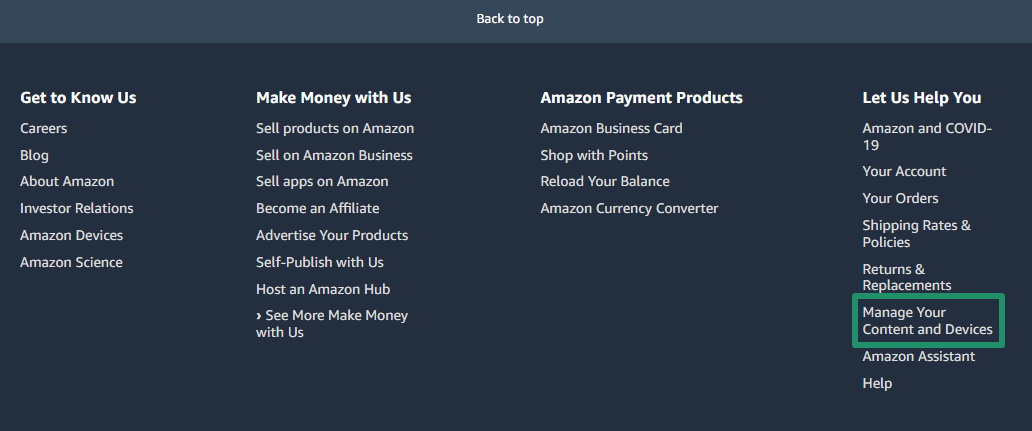
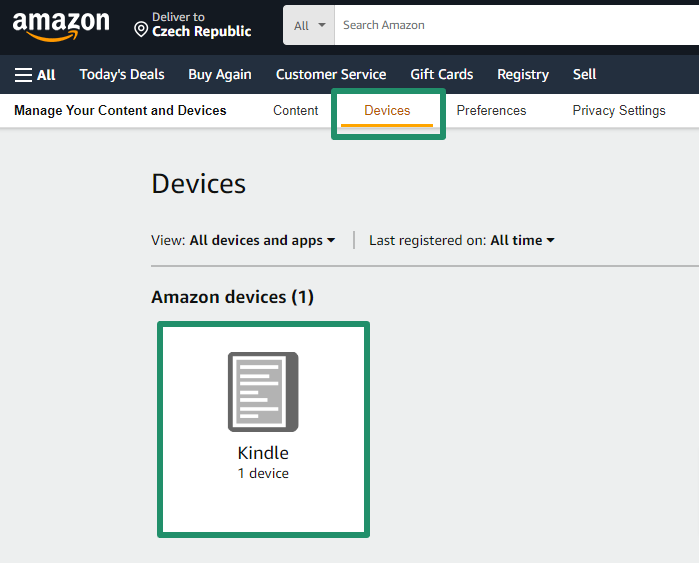
You can find this address after logging into your Amazon account in Your Content and Devices, under the Devices tab. Open your Kindle device detail to see the email address.
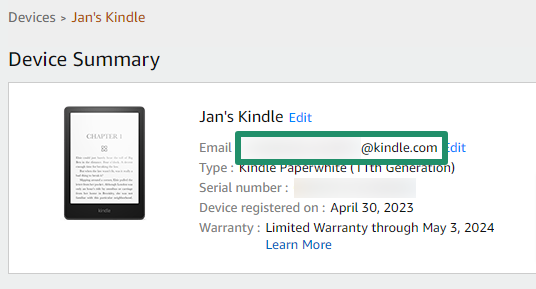
Then just set this address in Miguel for sending e-books.
2. How do I allow Miguel to send books?
To send books directly to your reader, you need to allow our email address in Amazon.
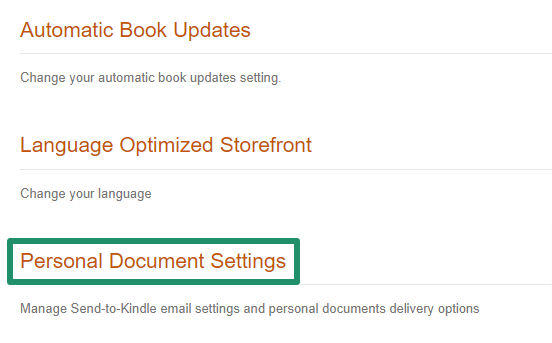
This setting is available in Your Content and Devices, in the Preferences tab. Then find the Personal Document Settings.


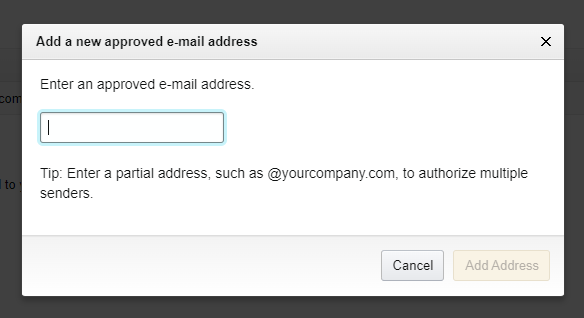
In Approved Personal Document E-mail List, click Add a new approved e-mail address and in the field Enter an approved e-mail address enter: @servantes.cz and confirm with Add Address.
3. How to troubleshoot
The book cannot be sent to the reader because it is too large.
If a book cannot be sent because of file size, you can send it using the Send to Kindle web page or transfer it by cable from your computer.